
Installing Singlepane for Claude
To install the Singlepane for Claude Plugin, follow the instructions below:
-
In Claude, click customize in the lefthand navigation, and then in the settings window click “Plugins”
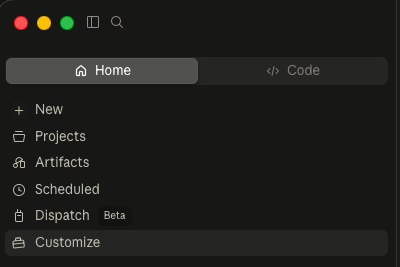
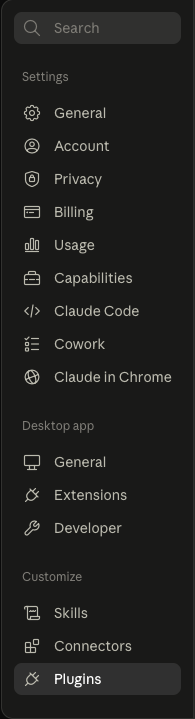
- Click the “Add” button and select “Add Marketplace”.
- Select the “Add from a repository” option.
- In the GitHub repository URL box, paste: https://github.com/singlepane-hospitality/sp-claude-plugins
- Click Sync
- You will then see the “Singlepane” plugin available, click it.
- Click the install button in the top right corner.
You will now have the /singlepane-excel-modeling skill installed and you can invoke it by saying “Use the /singlepane-excel skill to build a model/report that has……”
If you haven’t already installed the Singlepane connector (or had a Claude team admin install it), this will now also be installed.
If you haven’t yet used the Singlepane connector, go back to settings and click “Connectors” on the left.
Select Singlepane , and it will prompt you to connect it - this will open a login screen where you can sign in with your singlepane username and email.
You can now ask Claude questions which it can answer using data from singlepane.
More help & guides
Singlepane for Office — User Guide
User guide for the Singlepane for Office add-ins: put live, refreshable hotel data into Word documents and PowerPoint decks.
Resetting Excel Add-In (xludf error)
If Singlepane formulas show an xludf prefix and stop refreshing, Excel's add-in cache is corrupted. Here is how to reset it.
SP.OTB
Pull on-the-books and pace data, daily or monthly, for a hotel or its comp set into Excel.